Playgrounds
The Hgraph App includes built-in playgrounds for testing API queries against live network data. No external tools or setup required.
Available playgrounds:
- GraphQL Playground - full-featured query editor with schema explorer
- JSON-RPC Playground - submit JSON-RPC calls to Hedera and the EVM networks Hgraph serves
- REST Playground - build and send Hedera mirror node REST requests from a curated endpoint catalog
- SQL Playground - query Hgraph data with SQL (limited availability)
GraphQL Playground
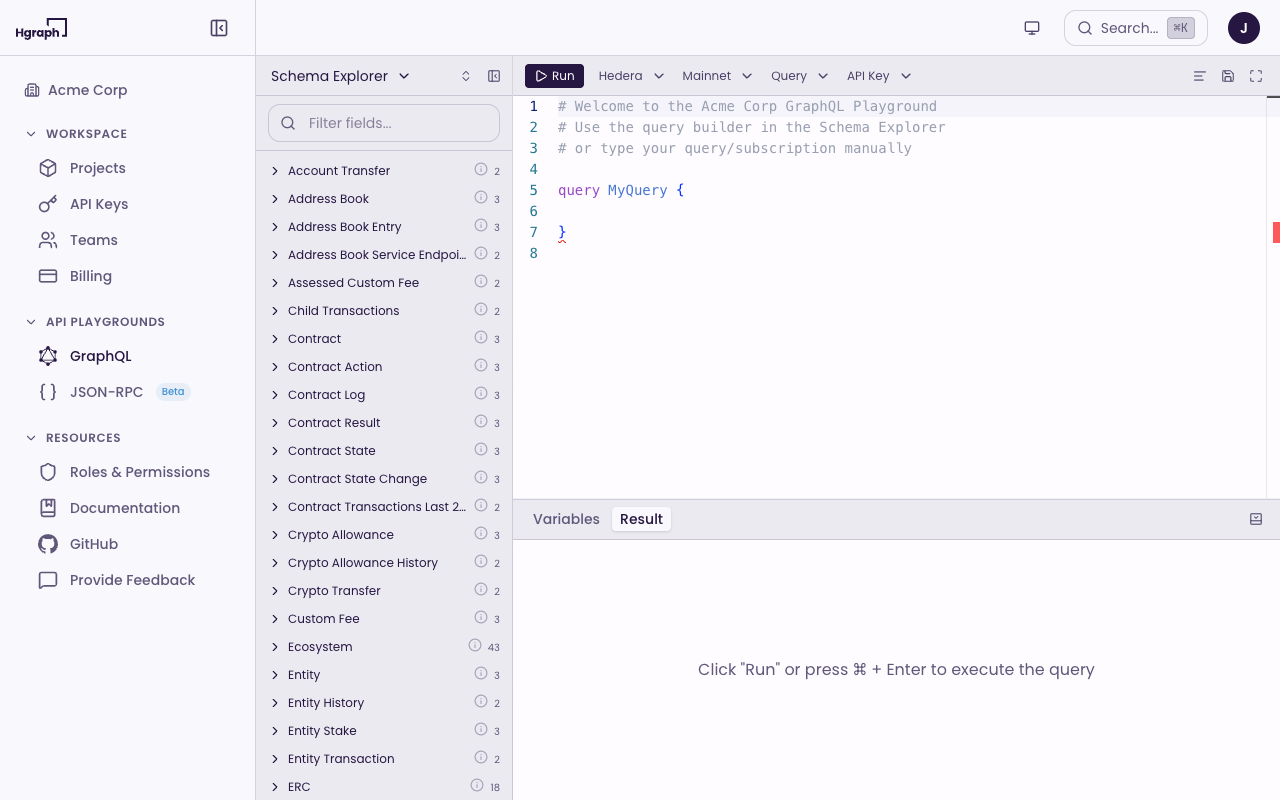
The GraphQL Playground is a full-featured IDE for writing, testing, and running GraphQL queries against indexed data — Hedera mainnet and testnet, and Ethereum mainnet and Hoodi in beta.
Open the playground
- Go to GraphQL under API Playgrounds in the sidebar.
- The editor loads with an empty query panel on the left and a results panel on the bottom.
Write and run a query
- Type your GraphQL query in the editor panel.
- Click the Run button in the toolbar (or use the keyboard shortcut).
- View the results in the right panel as formatted JSON.
Example query to get the latest transactions:
query {
  transaction(limit: 5, order_by: { consensus_timestamp: desc }) {
    consensus_timestamp
    entity_id
    type
  }
}
Use variables
Click the Variables panel below the editor to add query variables as JSON. This is useful for parameterized queries that you want to reuse with different inputs.
Explore the schema
The schema explorer lets you browse all available types, fields, and relationships in the selected chain's schema.
- Click Schema in the playground navigation to open the visual schema explorer.
- Browse types and their fields.
- Click a field to see its type, description, and relationships.
- Use the explorer to build queries by selecting fields.
Save and load queries
- Click My Queries in the playground menu to view saved queries.
- Save the current query by clicking the + button or Save at the bottom of the editor.
- Click a saved query to load it into the editor.
Switch networks
- Click the chain selector in the playground toolbar (defaults to Hedera) and pick Hedera or Ethereum (Beta).
- Click the network selector next to it to choose a network — Mainnet or Testnet for Hedera, Mainnet or Hoodi for Ethereum.
- Click Re-fetch to reload the schema for the selected network.
Additional features
- Prettify - auto-format your query for readability
- Copy - copy the current query to your clipboard
- Headers - add custom headers to your requests
- Editor themes - change the editor theme via Settings > Theme
- Subscriptions - real-time data streaming via WebSocket (available on Developer plans and above)
JSON-RPC Playground
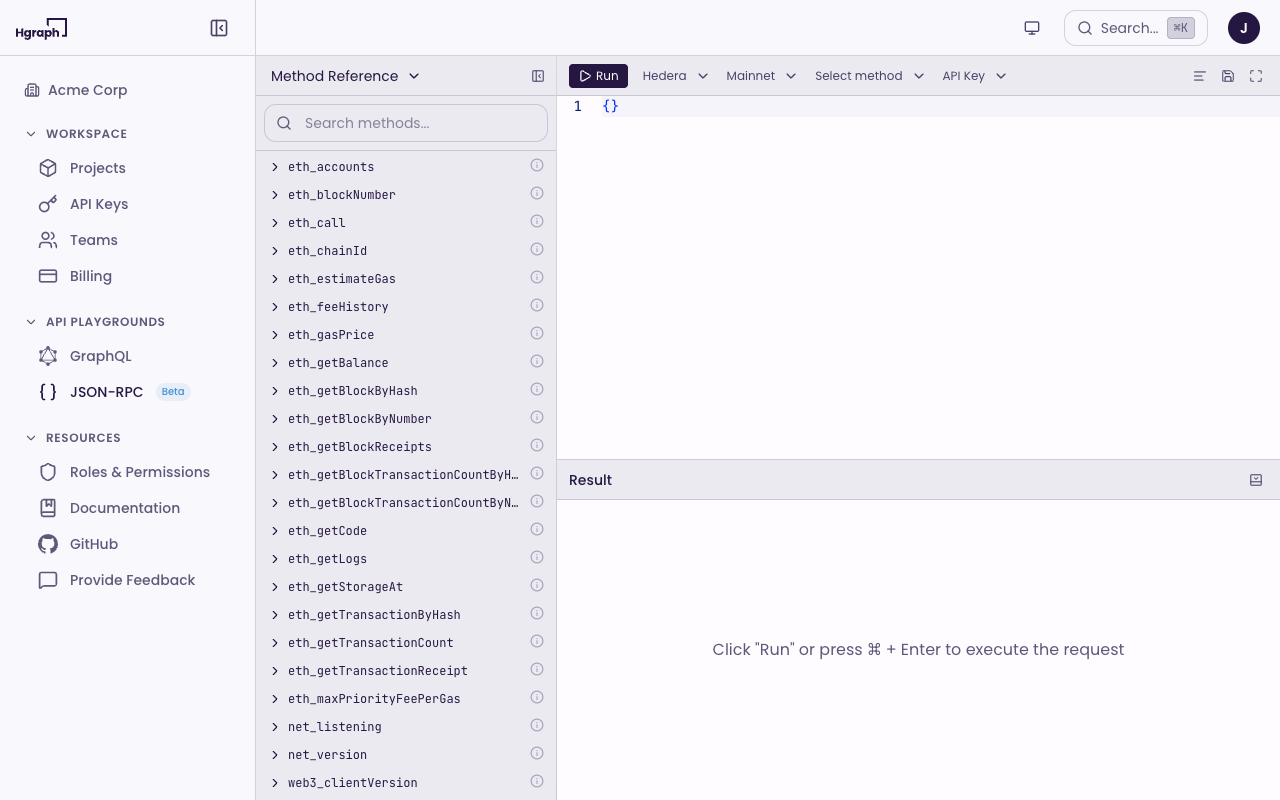
The JSON-RPC Playground lets you submit JSON-RPC calls to Hedera and 20+ EVM networks directly from the app.
A dialog appears the first time you open the playground. Click Got it to continue.
Submit a call
- Go to JSON-RPC under API Playgrounds in the sidebar.
- Enter a JSON-RPC method and parameters in the editor.
- Click the Run button.
- View the response in the results panel.
The playground supports standard Ethereum JSON-RPC methods on every chain in the selector — Hedera, Ethereum, Base, Optimism, Arbitrum, Polygon, Avalanche, BNB Smart Chain, Celo, and more — including eth_chainId, eth_getBlockByNumber, eth_call, and more. See the JSON-RPC documentation for supported methods.
REST Playground
The REST Playground lets you build and send requests to the Hedera mirror node REST API on mainnet or testnet without leaving the app.
Send a request
- Go to REST under API Playgrounds in the sidebar.
- Pick an endpoint from the catalog on the left. Endpoints are grouped by resource — accounts, balances, transactions, tokens, topics, schedules, contracts, network, and more.
- Fill in path parameters and query parameters in the request editor. Add headers if you need them, and for
POST /api/v1/contracts/callsupply a JSON body. - Choose Mainnet or Testnet in the toolbar.
- Click the Run button.
The response panel shows the HTTP status, latency, and payload size alongside the formatted body. The selected API key is sent automatically as the X-API-KEY header.
Save and reuse requests
- Saved requests - save the current request and load it later from the left pane.
- History - every request you run is recorded so you can re-open it with one click.
See the REST API documentation for base URLs and the full endpoint reference.
SQL Playground
The SQL Playground allows you to write and execute SQL queries directly against Hgraph data.
The SQL Playground is currently available on select plans. If you don't see it in your sidebar, it may not be enabled for your account. Contact the team for access.
Features include:
- Write and execute SQL queries
- View query results in a table format
- Schema introspection for available tables and columns
Troubleshooting
If you encounter issues in the playgrounds, try these steps:
- Check your network selection. Make sure you're querying the correct network (Mainnet or Testnet) in the toolbar.
- Re-fetch the schema. If queries fail with schema errors, click Re-fetch in the playground settings to reload the latest schema.
- Clear local storage. Go to Settings > Clear Data in the playground menu to reset cached state.
- Refresh the page. If the editor is unresponsive, refresh your browser tab.
- Log out and back in. If issues persist, sign out and sign back in to refresh your session.
For additional help:
Tips
- Use the AI Data Agent alongside playgrounds. hgraph.ai can help you build queries using natural language, and you can copy the generated queries into the playground.
- Publishable API keys work for playground queries. You don't need your Secret Key to test queries in the app.
- Check the API documentation for query patterns. The GraphQL API docs include common queries, subscription examples, and schema references.
- Connect AI tools to blockchain data. The Hgraph MCP Server lets you use Claude, ChatGPT, and other AI assistants to query any supported network directly.